
Wi-Fi 7 Routers Worth Buying Yet?
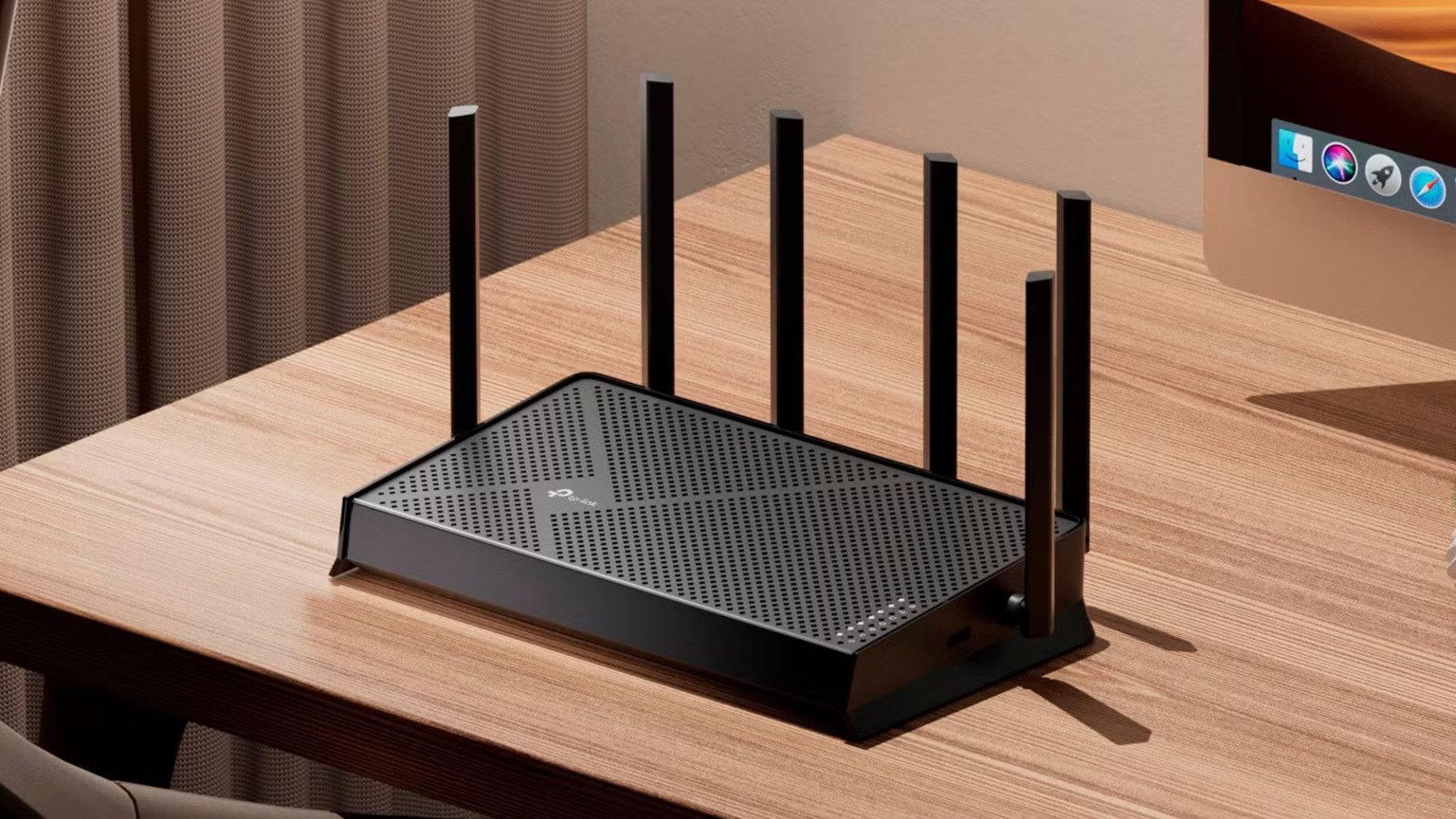
309 views
Your internet plan says 1 Gbps. Speed tests look fantastic. Yet the moment someone starts downloading a large game, your video call freezes, the security cameras lag, and the smart TV decides it's buffering time.
I've been there.
The first time I replaced an aging Wi-Fi 5 router with a newer model, I expected miracles. Some things improved immediately. Others barely changed because the real bottleneck wasn't my internet connection at all—it was how dozens of devices were fighting over the same wireless space.
That's exactly why Wi-Fi 7 has attracted so much attention. Bigger numbers. Faster speeds. New technologies. Plenty of marketing.
The real question isn't whether Wi-Fi 7 is impressive.
It's whether it's worth spending your money on right now.
What actually changes with Wi-Fi 7?
Wi-Fi 7, officially known as IEEE 802.11be, builds on Wi-Fi 6 and Wi-Fi 6E instead of replacing everything that came before it. Existing devices still work. Older laptops won't suddenly become obsolete.
The biggest improvements aren't always about maximum speed.
They're about consistency.
Multi-Link Operation is the feature everyone should know
Imagine driving on two highways at the same time instead of waiting in traffic on one.
That's essentially what Multi-Link Operation (MLO) allows compatible devices to do. Rather than relying on a single wireless band, supported devices can send data across multiple bands simultaneously.
That can reduce latency and make connections feel more stable during heavy household usage.
Of course, there's a catch.
Both the router and the client device must support MLO before you see those benefits.
Wider channels mean more capacity
Wi-Fi 7 supports 320 MHz channels, effectively doubling the channel width available in the 6 GHz spectrum compared to Wi-Fi 6E.
Think of it as adding more lanes to a highway.
Large file transfers, cloud backups, and local network traffic can move much faster—assuming your devices support those wider channels and you're operating in the relatively uncongested 6 GHz band.
Higher-order modulation squeezes out more performance
Wi-Fi 7 introduces 4096-QAM.
That sounds intimidating.
In simple terms, it packs more data into each wireless transmission than previous generations. Under excellent signal conditions, that translates into higher throughput.
Notice those two words.
Excellent signal.
Walls, distance, interference, and neighboring networks still matter. Physics hasn't taken a vacation.
Speed sounds exciting. Real life is messier.
Marketing departments love quoting theoretical speeds exceeding 40 Gbps.
You're not getting that.
Not at home.
Even with premium hardware.
Actual performance depends on countless variables:
Your internet plan
Device compatibility
Router placement
Building materials
Network congestion
Firmware optimization
I tested a friend's Wi-Fi 7 router in a fairly typical two-story home. Standing nearby with a Wi-Fi 7 laptop, file transfers were genuinely impressive.
Walk upstairs?
Performance remained good, but nowhere near the headline numbers.
That wasn't disappointing. It was expected.
Wireless networking has always been about balancing speed, range, and interference.
Who benefits the most?
Some households will notice meaningful improvements immediately.
Others probably won't.
Power users
If several people regularly stream 4K or 8K video, upload huge media projects, run NAS servers, or transfer hundreds of gigabytes across the local network, Wi-Fi 7 starts making a compelling case.
Those faster wireless links save time.
Repeatedly.
Competitive gamers
Latency matters more than raw download speed.
Multi-Link Operation and scheduling improvements can help reduce wireless delays under network load, although a wired Ethernet connection still remains the gold standard for serious competitive gaming.
Nothing has changed there.
Smart homes with dozens of devices
Modern homes quietly accumulate connected gadgets.
Doorbells.
Thermostats.
Speakers.
Security cameras.
Lights.
Vacuum robots.
Add them together and your router suddenly has fifty or more active clients.
Wi-Fi 7 improves efficiency in busy environments, making it easier to juggle many simultaneous connections without every device competing as aggressively for airtime.
Cases where buying one doesn't make much sense
This part gets overlooked.
If your internet plan is 100 Mbps and your family mostly browses the web, watches Netflix, and checks social media, a quality Wi-Fi 6 or Wi-Fi 6E router will likely feel almost identical.
Really.
Your ISP speed becomes the limiting factor long before Wi-Fi 7 does.
The same applies if nearly all your devices are older.
A Wi-Fi 5 phone doesn't magically become a Wi-Fi 7 phone because you bought a new router.
Compatibility still matters.
Device support is improving—but slowly
Router manufacturers moved quickly.
Laptop makers followed.
Smartphone support has expanded across newer flagship models.
Many tablets, gaming handhelds, and desktop Wi-Fi adapters are also beginning to include Wi-Fi 7 chipsets.
Budget devices?
Not nearly as fast.
That's the awkward phase we're currently in. Routers are available almost everywhere, but many households own only one or two devices capable of using their newest features.
Everything else continues connecting over older standards.
Perfectly fine, by the way.
Price has changed the conversation
A year or two ago, recommending Wi-Fi 7 felt difficult because prices were simply too high.
That's changing.
Competition among manufacturers has pushed entry-level Wi-Fi 7 routers much closer to premium Wi-Fi 6E pricing.
There's still a premium.
Just not an outrageous one.
If you're already planning to replace an aging router from five or six years ago, spending a little extra for Wi-Fi 7 can be easier to justify because you'll likely keep that hardware for several years.
Buying technology for longevity often makes more sense than chasing benchmarks.
Placement still beats expensive hardware
Here's something people rarely want to hear.
Moving your router six feet can produce a bigger improvement than upgrading to a newer standard.
I've watched people spend hundreds on networking equipment while leaving the router hidden:
Inside a TV cabinet
Behind metal shelves
Next to a microwave
On the floor
In a corner of the house
No wireless standard can fully compensate for poor placement.
Aim for a central, elevated location with as few obstacles as possible.
Simple advice.
Frequently ignored.
Should you upgrade if you already own Wi-Fi 6E?
Usually?
No.
Unless you have a specific reason.
Wi-Fi 6E remains an excellent standard, especially if your devices already use the 6 GHz band. Day-to-day browsing, streaming, and remote work won't suddenly transform after switching to Wi-Fi 7.
The difference becomes easier to notice during demanding workloads involving compatible hardware.
That's a narrower audience than advertisements sometimes suggest.
Two questions to ask before spending money
Instead of focusing on the router itself, ask yourself these questions.
Will several of my devices actually support Wi-Fi 7 within the next two or three years?
If the answer is yes, buying now may help future-proof your network.
Is my current router actually the problem?
Slow internet sometimes comes from ISP issues, overloaded devices, poor placement, or outdated firmware rather than the wireless standard itself.
Answer those honestly before opening your wallet.
Don't forget wired networking
Even the best wireless technology has limits.
Desktop PCs.
Game consoles.
Network-attached storage.
Media servers.
Whenever Ethernet is practical, use it.
Reducing wireless traffic leaves more bandwidth available for phones, tablets, and laptops that genuinely need Wi-Fi.
The result is often a faster network for everyone.
Features beyond the Wi-Fi standard matter too
A router isn't defined solely by its Wi-Fi version.
Pay attention to:
Multi-gig Ethernet ports if you have fast internet or local storage.
Reliable firmware updates and long-term security support.
Quality parental controls, guest networks, and VLAN options if you need them.
Strong mesh compatibility for larger homes.
A processor capable of handling VPNs, security features, and many connected devices simultaneously.
Sometimes a well-designed Wi-Fi 6E router with better software is a smarter purchase than a poorly supported Wi-Fi 7 model.
Frequently Asked Questions
Is Wi-Fi 7 faster than Wi-Fi 6?
Yes. Under the right conditions, Wi-Fi 7 offers substantially higher theoretical speeds and better efficiency. Actual improvements depend heavily on compatible devices, signal quality, and network conditions.
Do I need a Wi-Fi 7 router for gigabit internet?
Not necessarily. Many Wi-Fi 6 and Wi-Fi 6E routers can already deliver gigabit-class wireless performance in real-world situations. Wi-Fi 7 mainly adds extra capacity, lower latency, and room for future devices.
Will older phones and laptops work with Wi-Fi 7?
Absolutely. Wi-Fi standards are backward compatible. Older devices simply connect using the highest standard they support.
Does Wi-Fi 7 improve range?
Not dramatically. Range is influenced more by transmit power limits, antenna design, home layout, and interference than by the Wi-Fi generation itself. Expect better efficiency rather than dramatically longer coverage.
Should I wait another year before upgrading?
If your current router performs well, waiting could mean lower prices and more Wi-Fi 7-compatible devices entering the market. If your existing router struggles daily or is several generations old, upgrading now can still be a worthwhile investment.
So, are Wi-Fi 7 routers worth buying yet?
For plenty of households, yes—but not because you'll suddenly experience internet that feels ten times faster.
They're worth considering if you're replacing an older router, buying new laptops and phones over the next few years, or managing a busy network filled with demanding devices.
Otherwise, patience has value too.
Router prices will continue falling. Device support will keep expanding. Firmware will mature. If your current setup still handles everything without frustration, let it keep doing its job. Upgrade when your network starts holding you back, not simply because the box on the store shelf has a bigger number.
Wi-Fi 7 router review
Wi-Fi 7 speed test
latest router comparison
home networking review
wireless router benchmark
Wi-Fi 7 buying guide
Found this helpful? Share it!