
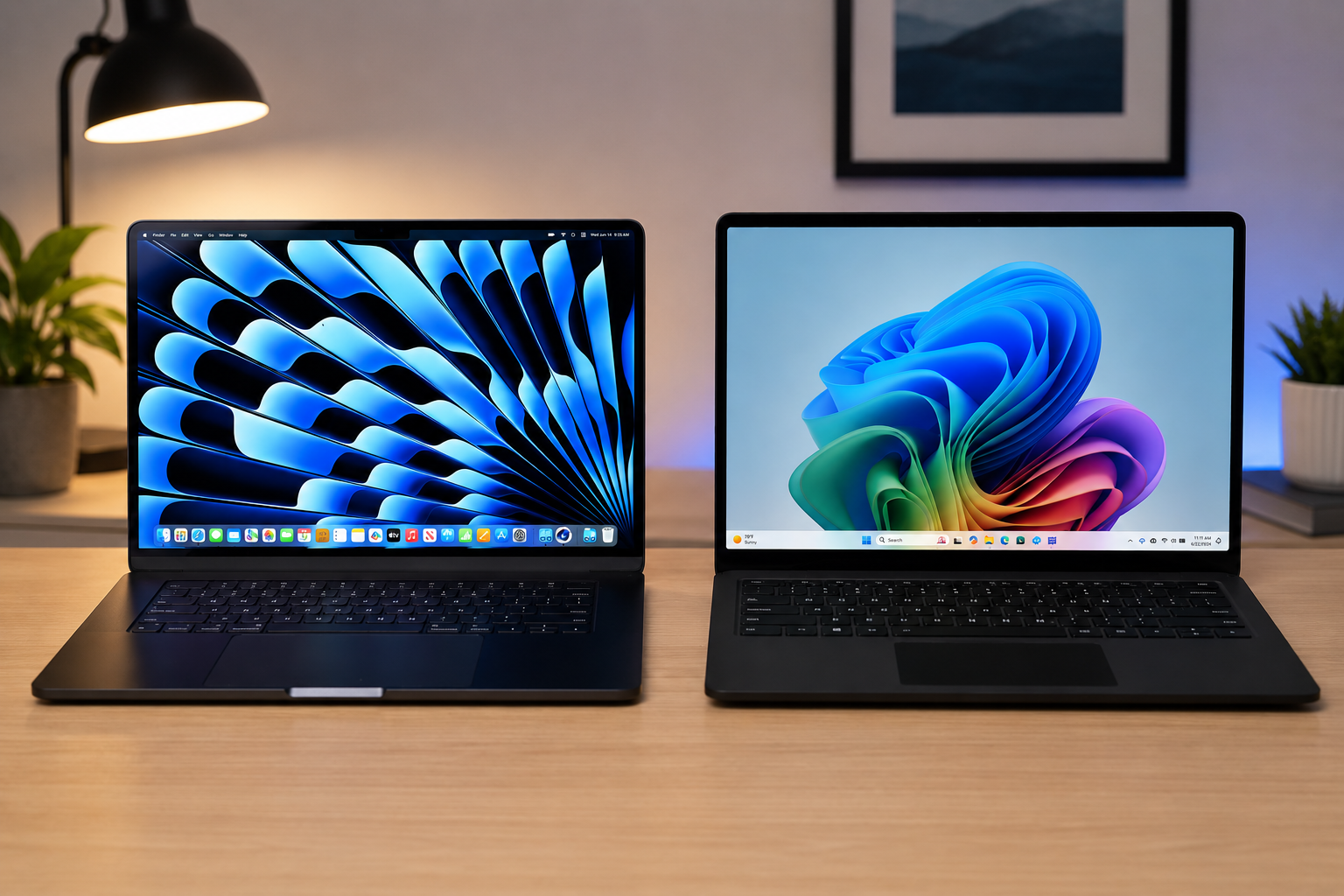
Premium Laptop Showdown: MacBook vs Windows Ultrabooks for Everyday Users
851 views
Your laptop is technically fast enough, yet opening a Zoom call with 18 Chrome tabs, a spreadsheet, Spotify, and a few PDFs somehow turns into a small negotiation with the cooling fan.
That’s the real buying problem.
Most people shopping for a premium laptop in 2026 don’t need a workstation-class machine. They need something that wakes instantly, survives a full day away from a charger, handles everyday multitasking without drama, and doesn’t become irritating after six months of ownership.
The MacBook-vs-Windows debate has also changed. Apple’s current MacBook Air M4 starts with 16GB of unified memory, while the premium Windows camp now includes machines built around Intel Core Ultra 200V, AMD Ryzen AI, and Snapdragon X processors. Copilot+ PCs must meet a defined baseline: a compatible NPU capable of at least 40 TOPS, 16GB of RAM, and 256GB of storage.
This is a more useful comparison than the old “Mac is simple, Windows is flexible” argument. Both platforms are good. The friction points are just different.
And those differences matter.
First, a necessary 2026 reality check
A closely related comparison already exists on Gadget Radar, so simply repeating the standard checklist of design, performance, battery life, and price would add very little. This version takes a narrower, more practical angle: what actually changes after you live with a premium laptop for a few weeks?
That means looking beyond benchmark charts.
Consider the MacBook Air M4 as the baseline Mac. The 13-inch model uses a 10-core CPU, starts with 16GB of unified memory and 256GB of SSD storage, has a 13.6-inch 2560×1664 display, and is rated for up to 15 hours of wireless web browsing or 18 hours of video streaming. Its two Thunderbolt 4/USB-C ports can transfer data at up to 40Gb/s, but there are still only two of them.
Now compare that with the Windows ultrabook market.
You can buy a thin Windows machine with USB-A, HDMI, a microSD reader, a touchscreen, a 120Hz display, Windows Hello facial recognition, or a 2-in-1 hinge. You can also buy one with none of those things.
Choice is Windows' superpower.
Choice is also where shopping gets messy.
Everyday speed: the boring tasks tell the truth
A premium laptop rarely feels slow because a benchmark score was 8% lower.
It feels slow when switching between apps produces a pause.
The MacBook Air M4 is particularly strong at this sort of background work. macOS handles the machine's unified memory architecture efficiently, and Apple now ships 16GB as the starting configuration rather than forcing buyers into an 8GB baseline. For browsing, Office documents, video calls, photo organization, and moderate creative work, that is a much more sensible floor for a premium computer.
A Windows ultrabook can feel equally responsive. Sometimes faster, depending on the workload. But the specification sheet deserves more scrutiny.
Don't buy a premium Windows laptop in 2026 just because it says “AI PC.”
Microsoft's Copilot+ requirements themselves set a useful minimum shopping filter: 16GB of RAM and 256GB of storage, alongside an NPU capable of 40+ TOPS. The Windows 11 operating system can technically run with only 4GB of RAM and a 64GB storage device, but that is a compatibility floor, not a sensible premium-laptop target.
My practical recommendation is simpler:
16GB RAM: acceptable starting point for ordinary users.
24GB or 32GB: worth considering if you keep large Photoshop files, virtual machines, dozens of browser tabs, or heavy creative apps open.
512GB SSD: the more comfortable long-term storage target.
256GB: workable, but surprisingly easy to fill with local photos, downloads, cached files, and offline media.
Storage is the upgrade many people regret skipping.
The battery-life gap is now smaller, but not gone
Apple's efficiency advantage isn't magic. It comes from tight hardware and software integration, an ARM-based system-on-a-chip, and aggressive power management.
The result is wonderfully mundane: you stop checking the battery percentage quite so often.
The 13-inch MacBook Air M4 is rated for up to 18 hours of video streaming and up to 15 hours of wireless web use, using a 53.8Wh battery. The 15-inch version carries a 66.5Wh battery and has the same headline ratings. Real-world results will obviously depend on brightness, browser choice, video calls, external accessories, and workload.
Windows ultrabooks have caught up in important ways, particularly newer systems using efficient Intel, AMD, and Qualcomm silicon. A Copilot+ PC, for example, is specifically built around modern NPUs and tighter efficiency targets rather than the older assumption that a thin Windows laptop must sacrifice battery life for performance.
Still, there is a difference between good battery life in testing and predictable battery life after your normal software stack is installed.
That distinction is annoying.
A MacBook buyer generally faces fewer processor-platform variables. On Windows, the experience can vary according to whether your laptop uses x86 or ARM architecture, how an application is compiled, what runs in the background, and how aggressively the manufacturer tuned the system.
So if your priority is “close lid, throw it in a bag, forget the charger,” the MacBook Air remains the safer bet.
Windows wins the hardware flexibility contest
This one isn't particularly close.
Need HDMI for a hotel TV? Plenty of Windows ultrabooks have it.
Need USB-A for an old receiver or flash drive? Again, easy.
Want a touchscreen so you can mark up a PDF with a pen? MacBooks still don't offer that option.
The MacBook Air M4 has MagSafe 3 for charging, a 3.5mm headphone jack, and two Thunderbolt 4 ports. Thunderbolt 4 is fast and flexible, supporting up to 40Gb/s, but adapters are still adapters. If your desk involves HDMI, Ethernet, SD cards, USB-A devices, and an external SSD, you'll probably end up buying a dock.
A Windows ultrabook can often reduce that clutter.
The catch? Read the exact port list.
Manufacturers sometimes use nearly identical model names across multiple configurations, and the cheaper version may lose a port, a higher-resolution display, faster USB support, or even a useful biometric sensor. Two laptops can look identical in product photos while behaving like different products on a desk.
Software compatibility is where the decision can become obvious
If your work depends on Windows-only software, don't overcomplicate the purchase.
Buy Windows.
Accounting applications, older business utilities, specialist engineering tools, proprietary VPN clients, niche hardware configuration software, and many corporate environments are built around Windows assumptions. Windows 11 also retains a broad hardware and software ecosystem, although modern devices must meet requirements such as TPM 2.0, Secure Boot capability, DirectX 12-compatible graphics, and supported processors.
MacBooks are excellent for mainstream software. Microsoft 365, Adobe Creative Cloud, Slack, Zoom, Google Workspace, Spotify, and major browsers all work comfortably in the macOS environment.
The problem appears at the edges.
I've seen buyers assume that “there must be a Mac version” of a small utility, only to discover that the software requires Windows drivers, an old .NET application, or a specific USB hardware interface. That realization usually happens after the laptop arrives.
Check your non-negotiable applications first.
Not your favorite ones. The awkward ones.
AI features sound exciting. Hardware requirements matter more
Apple Intelligence is available across supported Apple hardware, while Apple's M4 MacBook Air includes a 16-core Neural Engine as part of its system architecture.
On the Windows side, Copilot+ is tied to a clearer hardware definition. Microsoft requires a compatible processor with an NPU delivering at least 40 TOPS, 16GB of DDR5 or LPDDR5 memory, and 256GB of SSD or UFS storage. Supported processor families include Snapdragon X, Intel Core Ultra 200V and 300V series, and AMD Ryzen AI 300 and 400 series.
That creates a useful buying shortcut.
If local AI features are part of the reason you're upgrading, don't buy an older premium Windows ultrabook merely because it has “AI” printed on the box. Check whether it actually qualifies for the Copilot+ hardware category.
Microsoft highlights capabilities such as Cocreator in Paint, Image Creator in Photos, and Live Captions with real-time translation support as part of the broader Copilot+ experience.
Some of these features will matter to you.
Some will not.
Don't pay a $300 premium for an NPU because you generated two images in Paint once.
The display decision is more personal than people admit
MacBook Air displays are sharp, color-rich, and bright enough for typical indoor use, with the 13-inch M4 offering a 2560×1664 resolution, P3 wide color, True Tone, support for one billion colors, and 500 nits of brightness.
But a premium Windows ultrabook can offer something Apple doesn't: a high-refresh touchscreen.
That matters if you spend hours scrolling, sketching, or interacting directly with the screen. A 120Hz panel can also make ordinary movement feel noticeably smoother. Once you've used a good one, going back to 60Hz can feel a little dated.
On the other hand, a standard 60Hz MacBook Air screen paired with excellent battery life may be the better compromise for someone who spends most of the day writing, browsing, emailing, and watching video.
There isn't a universal winner here.
Your eyes get the deciding vote.
The hidden cost is usually configuration
A $999 laptop isn't always a $999 laptop.
The MacBook Air M4 starts with 16GB of memory and 256GB of storage, but upgrading storage or memory can quickly change the final price. Apple offers configurations up to 32GB of unified memory and up to 2TB of SSD storage on the 13-inch M4 Air.
Windows has a different trap: promotional pricing.
A $1,399 ultrabook may be discounted to $999 for a week, then return to full price. Another configuration with the same chassis might have 32GB of RAM and 1TB of storage for only a modest increase during a sale.
So compare configurations, not logos.
A sensible premium range for most everyday users is:
Around $900–$1,200: 16GB RAM, 512GB SSD, strong mid-to-high-tier processor.
Around $1,200–$1,600: better display, lighter chassis, improved battery, or 24GB/32GB memory.
Above $1,600: only spend the extra money if you genuinely need more performance, a larger display, specialized graphics, or professional features.
Buying more laptop than you need is still a waste, even if the chassis is gorgeous.
So, which one should you actually buy?
Choose a MacBook Air if you value predictable battery life, quiet operation, consistent performance, excellent build quality, and an uncomplicated setup. It's particularly compelling if you already use an iPhone and your software needs are mainstream.
Choose a Windows ultrabook if your workflow depends on Windows applications, you want a touchscreen or 2-in-1 design, need more built-in ports, prefer a 120Hz display, or simply want the freedom to choose between manufacturers and hardware designs.
My strongest advice is to ignore the brand battle for five minutes and make a short list of your actual day:
Which apps must run?
How many external devices do you connect?
Do you travel with a charger?
Do you need a touchscreen?
Will 256GB annoy you in a year?
Answer those honestly.
The right premium laptop is rarely the one that wins every category. It's the one that creates the fewest small frustrations after the honeymoon period ends.
Frequently asked questions
Is a MacBook Air powerful enough for everyday work?
Yes. The M4 MacBook Air's 16GB starting memory and modern Apple silicon are more than sufficient for browsing, Office work, video calls, streaming, light photo editing, and moderate creative workloads.
Should I buy 256GB or 512GB of storage?
Choose 512GB if your budget allows. A 256GB SSD works for cloud-heavy users, but local photos, video files, application caches, downloads, and offline content can consume space faster than expected.
Are Copilot+ PCs automatically better than regular Windows laptops?
No. Copilot+ certification confirms specific hardware capabilities, including an NPU with 40+ TOPS, 16GB of memory, and 256GB of storage. It doesn't guarantee a better keyboard, display, cooling system, ports, or build quality.
Can a Windows ultrabook match MacBook battery life?
Some modern models come surprisingly close, especially efficient systems based on current Intel, AMD, or Qualcomm platforms. Results vary much more by model and configuration than they do within Apple's relatively standardized MacBook Air lineup.
Which is better for long-term ownership?
For a simple, mainstream workflow, a well-configured MacBook Air is an excellent long-term choice. For users tied to specialized software or specific hardware, a Windows ultrabook can be the smarter investment because compatibility matters more than benchmark longevity.
Before clicking Buy, spend ten minutes checking the exact configuration number, RAM, storage, ports, display refresh rate, and software compatibility. That small bit of homework will probably save you from the most expensive laptop mistake of all: buying a beautiful machine that almost fits your life.
MacBook vs Windows
laptop comparison
ultrabook buying guide
best laptops 2026
gadget reviews
Found this helpful? Share it!